

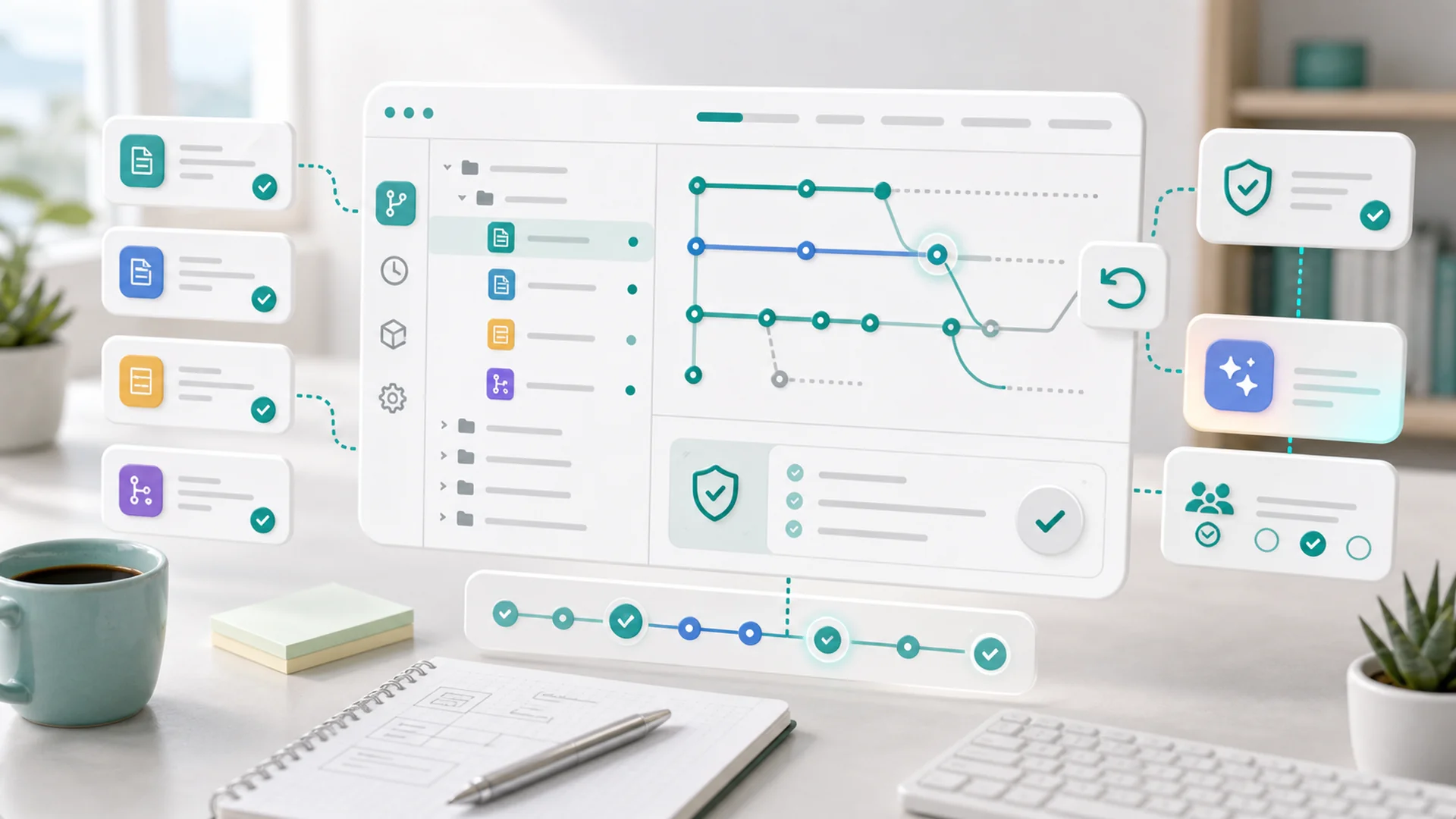
Under every Faster workspace — website theme, blog posts, forms, journeys, media — sits a git repository. Content lives as files with full version history, not as rows in an opaque database. That one storage decision is why checkpoints, branches, rollback, change attribution, and safe AI editing arrive as properties of the platform instead of as features we had to invent.
There's a question that sorts content platforms into two families: where does your stuff actually live? In most website builders, the answer is "in our database, in our format, trust us." We chose the other family. Your workspace is files — templates, post documents, form configs, journey definitions — and the files live in version control. This post is the why, the what-it-buys, and the engineering bill we paid for it.
The decision: files over rows
A website theme is a folder of templates and styles. A blog post is a document plus its metadata. A form is a config. None of this is naturally relational data — it's naturally files — and forcing files into database rows costs you everything files are good at: diffing, copying, versioning, inspecting, moving between systems. So each workspace module gets a repository: the theme repo, the posts repo, the forms repo, the journeys repo, the media repo. Edits — whether they come from the visual editor, the post editor, or an AI agent — become commits with authorship and timestamps. The app is, in a real sense, a very friendly git client.
What it buys users who never type "git"
- Checkpoints are commits with a human label. "Before the summer redesign" is a named point you can return to — one click in the editor, no terminal involved.
- Branches are parallel universes for risky work: redesign on a branch while the live site keeps serving main, review the whole thing, merge or discard. Agencies recognize this workflow instantly; owners just call it "trying something safely".
- Track changes falls out of diffs: what changed, who changed it, when — for every file, forever. The "who broke the homepage in March" question becomes a log lookup instead of an interrogation.
- Rollback is universal. Any change reverts the same way, because reverting is what version control does. There's no per-feature undo system to build, test, and trust — a point the AI guardrails post leaned on hard.
- Portability is honest. Files in standard formats, in a repository, are content you actually possess. Lock-in by data hostage-taking isn't available to us, which keeps the product honest about earning renewals.
Features rot. Properties don't. Versioning as a property means nobody can forget to implement undo for the new thing.
Every new content type inherits checkpoints, diffs, and rollback on day one, by construction.
The publish pipeline is a push
Storage-as-repo reshapes publishing too. This post you're reading was committed to the posts repository as three files — a record, a body, a metadata sidecar — and a push triggered the pipeline that validated it and published it to the CMS. The same pattern serves the help center and this blog: source of truth in the repo, rendered surfaces downstream. When something looks wrong in production, the question is never "what state is the database in" — it's "what's in the repo, and did the pipeline run," which is a dramatically easier question at 2am.
The bill we paid
Honesty section: git for non-technical users is not free.
- Merge conflicts can't reach users. Nobody's grandmother resolves a conflict marker. The app prevents rather than resolves: staged working copies, per-file saves, and an editing model where two people aren't blind-editing the same file. The hard engineering is conflict avoidance.
- Performance needed real work. Git operations on shared storage at platform scale — thousands of repos, agents committing constantly — meant caching strategies, careful clone management, and learning some painful lessons about filesystem throughput under load. Files are simple; files at fleet scale are an engineering program.
- Sync discipline. A repo as source of truth means every consumer — the rendered site, the editor, the search index — must follow the repo, and "follows" means pipelines, webhooks, and the monitoring to notice when one lags. The database-rows world gets this consistency for free; we buy it with infrastructure.
We'd pay the bill again. Each cost is engineering on our side of the wall; the alternative — content without history, undo as a per-feature lottery, AI edits with no diff — pushes its costs onto users, permanently.
The deeper bet
The repo decision is really a bet about the next decade: software where AI does substantial work needs storage that can prove what happened. Diffs, attribution, and revert aren't power-user conveniences anymore — they're the audit trail that makes delegation to agents sane. We got them by choosing boring, thirty-year-old technology and hiding it behind a friendly surface. Sometimes the most forward-looking architecture move is picking the old thing that already solved your future problem.
Key takeaways
- Content is files; files belong in version control — themes, posts, forms, journeys, media.
- Checkpoints, branches, diffs, rollback are properties, inherited by every content type by construction.
- Publishing is a push: repo as source of truth, rendered surfaces downstream of a pipeline.
- The costs are real — conflict avoidance UX, fleet-scale git performance, sync discipline — and worth it.
- AI-era storage must prove what happened — version control is the audit trail that makes agents safe to trust.
Frequently asked questions
Can I clone my workspace and work locally?
The architecture makes it possible by construction, and developer-facing workflows lean on it. Most users never should — the app's editors, validators, and review gates exist precisely so the repo stays healthy — but "your content is a repository" means the escape hatch is real, not marketing.
What stops an agent from force-pushing over my history?
Agents and editors go through the app's write path — staged changes, validation, scoped pushes — not raw git access. The repository is the substrate; the app is the permission boundary. History is the asset the whole design protects, so nothing user-facing gets a tool that can destroy it.
Why git specifically and not a custom versioned store?
Because git's hard problems — content addressing, merge machinery, integrity, history compaction — are solved to a depth no in-house store reaches in a decade. The customization belongs above (UX, validation, pipelines), not below. Boring infrastructure is a feature.
Does media really belong in a repo?
Media metadata, organization, and references — yes, versioned like everything else. The binary payloads live in object storage where they belong, with the repo holding the canonical index. Same property, sensible plumbing.
What does this mean for backups?
A repository's full history is its own backup format — replicated remotes, plus every clone being a complete copy. Disaster recovery for a workspace means restoring a repo, not replaying database snapshots and hoping the foreign keys still agree.
"Where does your stuff actually live" is the least glamorous question in software and the one that decides the most. Ours lives in files, with history, in repositories — and everything users love about checkpoints, branches, and safe AI editing is downstream of that one early choice. The user-facing flows are in the help center; this was the foundation.
Helpful guides
For the user-facing workflows built on top of the repository model, use these guides:


